 zoom_in
Schulze Cap Press Pro Heat Press for Caps
- Reference: GS132442

€1,079.00 Tax excluded
Description
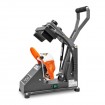
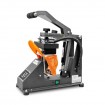
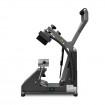
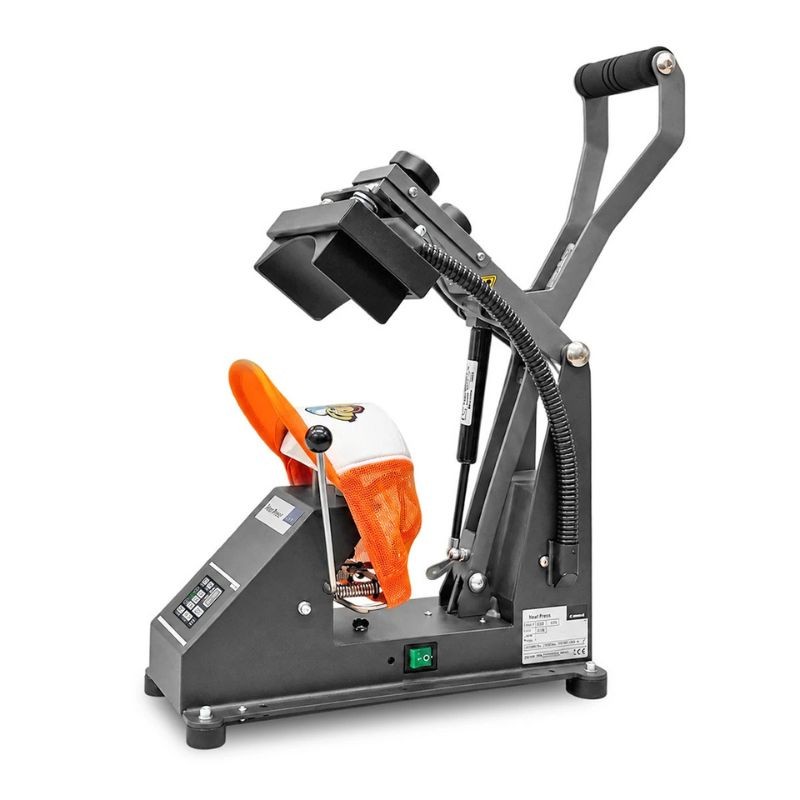
The Schulze Cap Press Pro heat press for caps personalises caps, bucket hats, beanies and hats. It suits small and medium runs alike. Its 8 x 16 cm heat platen, rated at 600 W, reaches working temperature quickly. Facing it, the trapezoidal base platen follows the shape of the cap. The press comes as a standard version or with an integrated heated lower platen.
How does the Cap Press Pro cap press work?
On the Cap Press Pro, the 600 W platen shortens the wait before the first press. The base platen, with its slightly trapezoidal shape, fits the front panel of most standard caps.
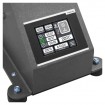
From the touchscreen, the user sets the temperature, the time and the pre-press, main press and post-press phases. ECO mode and the transfer counter are managed from the same screen. Once the pressing time is up, the press opens automatically. Pressure is adjusted with an easy-to-reach knob under the base platen.
Specifications of the standard Cap Press Pro and the heated platen version
Both versions of the Cap Press Pro share the same press: only the base platen, the weight and the power supply differ.
Technical specifications of the Schulze Cap Press Pro heat press for caps
The Schulze Cap Press Pro heat press for caps comes in two versions, with an interchangeable base platen or a heated lower platen, and reaches 220 °C at most.
| Specification | Cap Press Pro | Cap Press Pro with heated lower platen |
|---|---|---|
| Reference | GS132442 | GS132443 |
| Upper heat platen | 8 x 16 cm, 600 W | 8 x 16 cm, 600 W |
| Base platen | Trapezoidal, interchangeable | Heated, trapezoidal, 8 x 16 cm, interchangeable |
| Temperature | 220 °C max. | 220 °C max. (upper platen) and 0 to 150 °C (lower platen) |
| Temperature tolerance | ± 0.5 % | ± 0.5 % |
| Pressing time | 9 min 59 s max. | 9 min 59 s max. |
| Pressure | 300 kg max. | 300 kg max. |
| Power supply | 230 V, 6 A | 230 V, 6 A plus a second 230 V socket (0.3 kW) for the lower platen |
| Press dimensions | 42 x 18 x 65 cm | 42 x 18 x 65 cm |
| Weight | 15 kg | 18.5 kg |
| Warranty | 2-year warranty on the heat press (excluding wear parts). 12-year warranty on the heating element of the heat platen. | 2-year warranty on the transfer press (excluding wear parts). 12-year warranty on the heating element of the upper heat platen, excluding the heated lower platen. |
Why fit a heated lower platen to a cap press?
The heated lower platen brings heat from underneath the cap, up to 150 °C. Caught between two hot surfaces, the transfer receives even heat. Pressing becomes gentler, leaving fewer marks and shiny areas on the fabric.
This version really comes into its own with embroidered patches. Heated from above and below, a thick patch reaches its bonding temperature faster. Pressing time drops, and the saving becomes significant across a run of patches.
It also suits medium and large runs, thick transfers and delicate textiles. A second 230 V socket is needed to connect the lower platen.
Why choose the Schulze cap press?
Schulze combines German design and European manufacture. The press is guaranteed for 2 years, excluding wear parts, and the heat platen's heating element for 12 years.
The standard base platen can be swapped for other models. For children's caps, the Platen for heat press Schulze Cap Press comes in an 8 x 6 cm size. On the standard version, the Schulze heatable base platen for heat press adds heat from below. The Cap Press Pro completes the Schulze range of manual heat presses, alongside flat presses for t-shirts and sweatshirts.
How to apply a DTF transfer to a cap?
For a DTF transfer on a cotton cap, the settings below are indicative. A test on a sample cap is essential before any run.
- Pre-press the cap for 3 to 5 seconds, without the transfer, to drive out moisture;
- Place the cap on the base platen, with the front panel pulled taut;
- Centre the DTF transfer on the front panel, away from the button and side seams;
- Press at around 150 to 155 °C for 7 to 15 seconds, with medium to firm pressure;
- Peel the film hot or cold, following the transfer manufacturer's instructions;
- Press again for 5 seconds under a silicone sheet for a more even finish.
Frequently asked questions about the cap press
Which transfers can the Cap Press Pro apply?
The Cap Press Pro applies DTF transfers, heat transfer vinyl and flock, as well as embroidered patches. Sublimation also works on light-coloured polyester caps. Each transfer has its own temperature and time settings, set out in its manufacturer's instructions.
What logo size works on a cap?
On a structured cap, the usable area measures about 8 to 9 cm wide by 6 cm high. Beyond that, the design runs off the front panel onto the seams, where pressure becomes uneven. Soft or low-profile caps take slightly wider designs.
Polyester caps: which settings to use?
Polyester generally needs a lower temperature, around 135 to 145 °C, for 10 to 12 seconds. This limits dye migration from the fabric into the transfer. A test on a sample cap confirms the settings before the run.
Is a protective sheet needed when pressing a cap?
With a DTF transfer, the film already protects the design during pressing. A silicone sheet or siliconised paper is still useful for the finishing press. It also shields delicate fabrics from direct contact with the heat platen.


