zoom_in
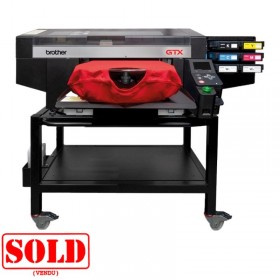
Brother GTX 422 unit maintenance
- Reference: SC6251101

€2,090.00 Tax excluded
Description
The Brother GTX 422 unit manitenance serves as the return base for the print heads. It ensures the quality of your textile prints.
Why replace the maintenance station of your GTX422 printer?
A printing defect can originate from a faulty maintenance station SC6251101. This Brother GTX422 spare part ensures the proper functioning of your DTG textile printer. Before performing a full replacement, test individual components such as the motors.
Essential functions of the Brother GTX maintenance unit
The maintenance unit performs three crucial roles for your Brother GTX422 printer. It cleans the print heads to prevent clogging during idle periods using the caps. It also cleans between prints using the wiper. Finally, it runs deep cleaning cycles for the GTX422 heads.
This regular maintenance extends the life of your DTG printer. It ensures optimal print quality on your textiles. The ink circulation system guarantees smooth ink flow.
Maintaining your Brother GTX422 to extend its lifespan
Regular maintenance of your digital textile printer reduces costs. Clean the print heads daily with appropriate sticks. Use double-layer DTG printer cleaning wipes.
Regularly check the wiper and caps of the maintenance station. Replace these Brother GTX spare parts at the first signs of wear. Preventive maintenance avoids costly breakdowns.
Also inspect the filters and ink circulation tubes. Keep your workspace clean to limit ink contamination. These simple steps optimise the performance of your GTX422.
When to replace the GTX422 maintenance station SC6251101 ?
Before a full replacement, diagnose defective parts. First, test the pulse motors individually. Then check the wiper condition, also called the scraper. Finally, inspect the caps of the station.
Sometimes changing a single component resolves the printing issue. This approach saves time and money. It limits interruptions in your textile production.
A full replacement becomes necessary in case of mechanical failure. Cracks or broken parts prevent proper operation. At this point, invest in a complete maintenance station.
Common DTG maintenance issues and solutions
Print quality defects
Lines appearing during printing? Replace the wiper first. Stains forming on textiles? Change the caps immediately. Gradual quality degradation? Test the cleaning motors.
These symptoms indicate a malfunction of the maintenance wep cap station. Act quickly to prevent worsening problems. Early intervention preserves your print heads.
Mechanical problems
Unusual noise often signals a mechanical issue. Broken or cracked components require replacement. The station no longer positions correctly? Check the guides and rails.
In such cases, only a full station replacement solves the problem. Use only authentic Brother GTX spare parts. They guarantee compatibility and reliability.
Brother GTX spare parts: optimise your production
Our range of Brother GTX spare parts covers all your needs. Wiper, caps, motors, and complete stations are available in stock. These certified components maintain your printer’s performance.
Stock critical parts to minimise downtime. Anticipate consumable replacement according to their lifespan. This proactive management ensures the continuity of your DTG production.
Authentic Brother spare parts guarantee full compatibility. They preserve your warranty and optimise longevity. Invest in quality to protect your equipment.
Professional maintenance for Brother GTX422 printer
Maintenance of the Brother GTX422 printer requires specific skills. Train your team in essential maintenance procedures. Document each intervention to track maintenance history.
Establish a strict preventive maintenance schedule. Clean the print heads weekly. Check the maintenance station monthly. Replace consumables following Brother recommendations.
This discipline maximises the availability of your textile printer. It reduces long-term operating costs. Your textile printing workshop gains productivity and profitability.
Technical specifications:
- Compatibility: Brother GTX422 printer
- Type: Complete maintenance station
- Function: Cleaning and maintenance of print heads
- Application: DTG (Direct-To-Garment) printing
- Brand: Brother
Delivery and warranty:
- Authentic Brother spare part
- Compatible with Innobella inks
- Installation recommended by a qualified technician