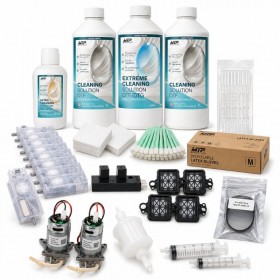
 zoom_in
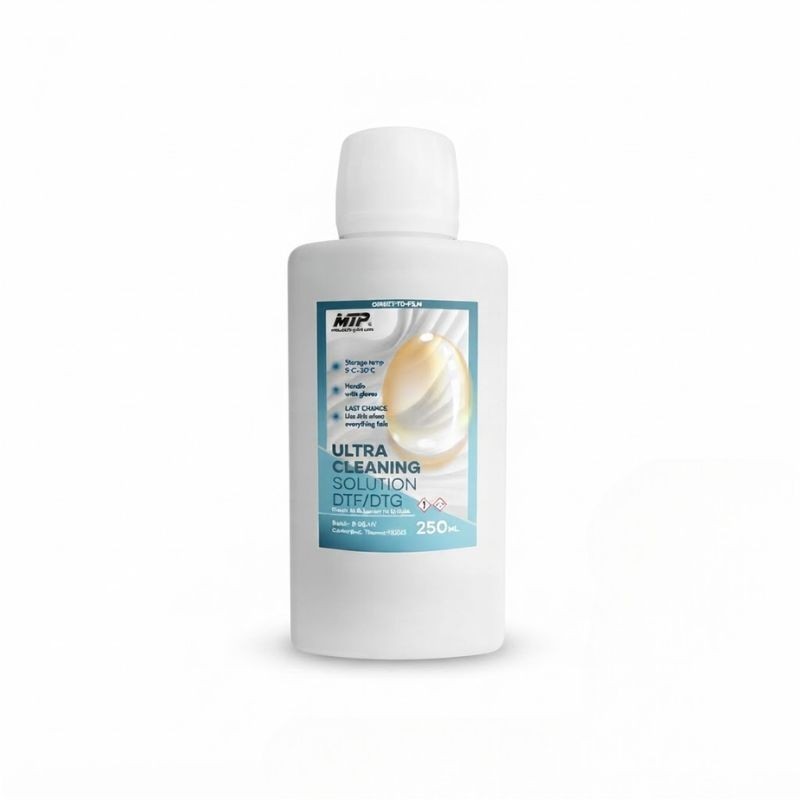
Ultra Cleaning Solution for DTF / DTG printer
- Reference: MTP-UltraC250ml

€45.00 Tax excluded
Description
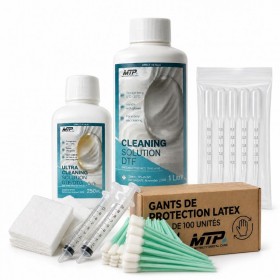
Ultra Cleaning Solution for DTF / DTG printer, supplied in a 250 ml bottle, is a maintenance fluid designed to treat persistent DTF and DTG ink residue in textile printing systems.
Before use, make sure that the printhead has no electronic or mechanical fault. A cleaning fluid cannot repair an electronic failure, mechanical fault or physical damage to the printhead.
Its formulation is designed to act on ink deposits and residue that may restrict ink flow through the channels and ink circuits of a printhead.
Ultra Cleaning Solution is intended as a last-resort treatment, when standard cleaning methods, including Extreme Cleaning Solution for DTF, have not produced the expected results.
Its effectiveness depends on factors including the nature of the ink deposit, how long it has been present, the condition of the printhead and the underlying cause of the problem. A heavily or completely blocked printhead may not be recoverable with a cleaning fluid.
DTF / DTG printhead cleaning for ink-related blockages
Ink flow problems on a DTF or DTG printer can have several causes, including ink residue build-up, dried ink, partial blockage of the printhead channels, ink supply issues or a printhead fault.
When a blockage is identified as being caused by ink residue, Ultra Cleaning Solution can be used as an additional cleaning step.
It is intended for situations where standard cleaning has not restored satisfactory ink flow.
Ultra Cleaning Solution does not guarantee that a heavily or completely blocked printhead will be unblocked. It provides an additional treatment option before considering printhead replacement, where technically appropriate.
How to use Ultra Cleaning Solution on a DTF or DTG printhead
Due to the nature of the product and the sensitivity of printheads, its use is recommended for experienced DTF and DTG printer maintenance technicians or users.
Proceed gradually and never apply excessive pressure.
After removing the printhead, apply the product using a swab soaked with the cleaning solution to the relevant nozzles and openings. Allow it to act for a few minutes, then check whether ink flow has improved.
If ink residue remains, the contact time can be increased gradually.
If the printhead becomes blocked during a print run, allow the product to act for approximately 30 minutes, then rinse with a suitable DTF Cleaning Solution.
For manual printhead flushing, use the appropriate maintenance fluid with a syringe and flexible tubing. Insert the tube into the relevant opening and apply very gentle and gradual pressure. Repeat the procedure if necessary.
Never force the solution through the printhead. Excessive pressure can damage the damper, ink channels or printhead and may make recovery impossible.
Do not soak the printhead for more than 12 hours. Prolonged contact may damage elastomer components, including rubber membranes, capping lips and seals.
Do not use Ultra Cleaning Solution as a routine cleaning fluid in the capping station.
When should you use this DTF printhead cleaning solution?
Ultra Cleaning Solution is primarily intended for treating persistent DTF and DTG ink residue and deposits.
It can be considered when restricted ink flow or a printhead blockage is suspected and previously used cleaning products have not produced satisfactory results.
Before starting any cleaning procedure, check that the problem is not caused by another component of the printing system:
- printhead electronic fault;
- mechanical fault;
- ink supply problem;
- damper or ink circuit issue;
- another component of the printing system.
A maintenance fluid cannot repair an electronic or mechanical fault.
Compatibility with DTF and DTG printers
DTF and DTG inks are water-based textile inks, and Ultra Cleaning Solution is intended to treat residue from these two types of ink.
It can be used on various textile printing systems equipped with printheads compatible with DTF or DTG inks, subject to the recommendations of the printer and printhead manufacturer.
- Epson i3200-A1 / 4720
- Brother GTX Pro
- Brother GTX Pro B
- Brother GTX 600
- Epson F
- Kornit
- Aeoon
- Polyprint
Compatibility and the recommended cleaning procedure may vary depending on the printer configuration and printhead type.
Precautions for use
Printheads are sensitive components. Ultra Cleaning Solution is a maintenance product intended for targeted cleaning, not for daily printer maintenance.
Use it progressively, monitor the results regularly and avoid excessive pressure during manual flushing procedures.
The product acts on ink residue that may contribute to a blockage, but does not guarantee recovery of a blocked printhead.
If the printhead remains blocked after the cleaning procedure, or if an electronic or mechanical fault is identified, printhead replacement may be necessary.